
Teams often assume that internal chatbot quality depends mainly on the AI model. In practice, most failures happen much earlier: the underlying docs are outdated, mixed in scope, poorly titled, or lack an owner. This article explains the most common mistakes teams make when turning internal docs into a chatbot.
What you’ll learn
- The most common mistakes in internal knowledge chatbot projects
- Why those mistakes happen before the chatbot even launches
- What to fix before you publish an internal ChatBuilder scenario
- How to start with a smaller, safer rollout
Bottom line
Internal knowledge chatbots fail less because of weak AI and more because of weak source management. The safest path is to start with one theme, use only maintained content, define clear ownership, and prepare a handoff path for exceptions. Begin with 20–50 high-frequency questions instead of trying to cover the entire company at once.
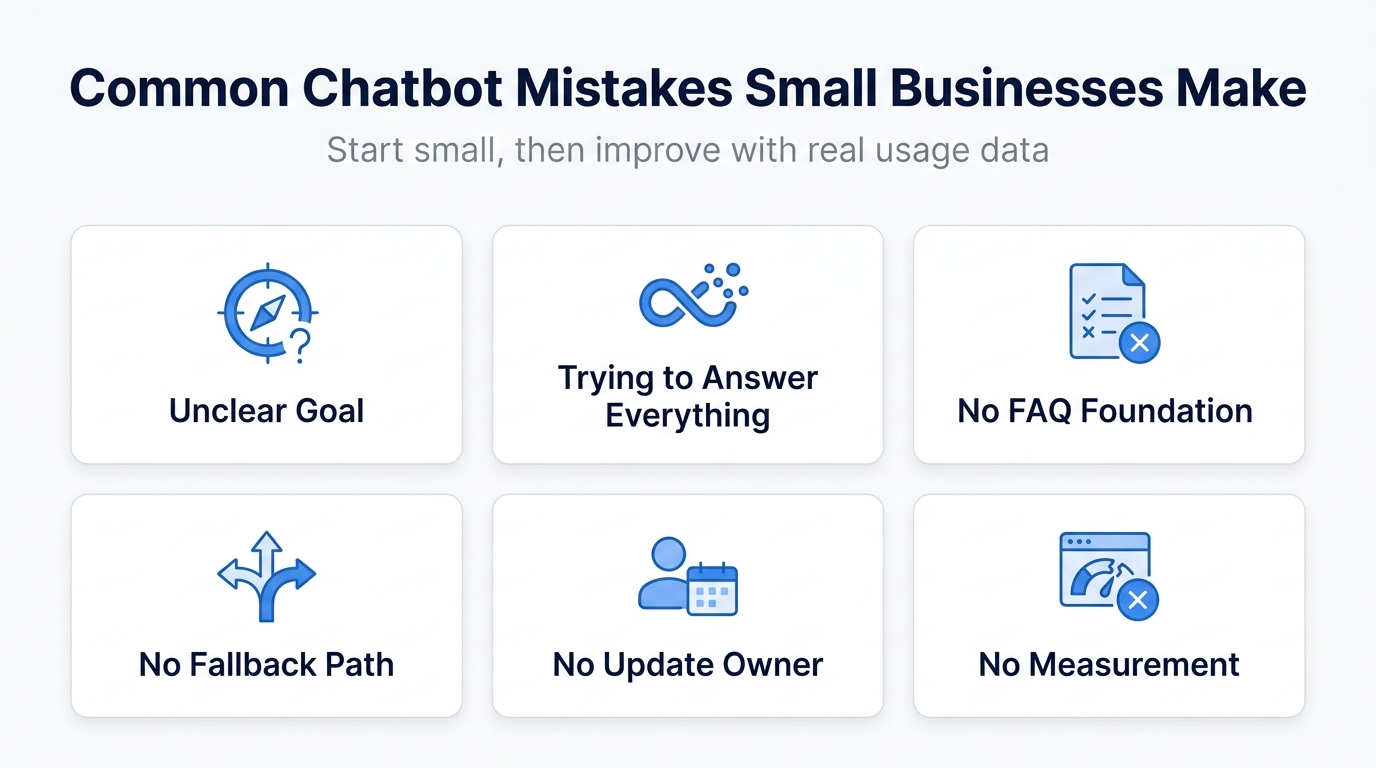
Mistake 1: Expanding scope too early
The most common planning error is trying to include everything: policies, manuals, meeting notes, old PDFs, and informal documents. That usually makes answer quality worse, not better.
Typical signs
- Official policy and department-specific rules are mixed together
- Old and new versions of the same process coexist
- Search includes notes and documents that were never written for end users
Why this breaks quality
If your content scope is unclear, the chatbot has no reliable way to decide which source should win. That increases the chance of partial, conflicting, or outdated answers.
Better approach
- Start with one narrow theme
- Examples: HR FAQ, expense claims, onboarding, IT help
- Keep out-of-scope questions on a separate path
Mistake 2: Using documents that are no longer maintained
An internal chatbot does not know that a document is obsolete unless you manage freshness yourself. If old docs stay in the source set, the chatbot may keep serving old answers with confidence.
Common examples
- Benefits or allowance rules changed
- UI screenshots no longer match the current product
- Temporary workarounds remain as if they were official procedure
Better approach
- Assign an owner to each source area
- Review content monthly or after key changes
- Prioritize content with visible update dates or release ownership
Mistake 3: Ignoring permission boundaries
Internal knowledge is rarely flat. Some documents are safe for all staff, while others are restricted by team, role, or process sensitivity. If you ignore that distinction, the chatbot becomes a governance problem.
Questions to ask
- Is this safe for all employees?
- Is this team-specific or role-specific?
- Does it include personal data or contract information?
- Would external contractors be allowed to see it?
Better approach
- Start with broadly shareable documents
- Keep restricted content on separate channels or controlled workflows
- Exclude personal and contract-specific topics from the chatbot
Mistake 4: Writing only for document titles, not user questions
Employees do not search using perfect document titles. They ask in natural language: “When is the expense deadline?” or “Where do I request a new laptop?” If your content is written only for internal filing logic, retrieval suffers.
Better approach
- Collect real internal question phrasing
- Design your scenario and content around user language
- Normalize synonyms and repeated wording across documents
Mistake 5: Not preparing human handoff
Even internal chatbots need escalation paths. Personal data changes, exception approvals, policy interpretation, and department-specific cases often require a real person.
Cases that usually need handoff
- Personal data changes
- Approval exceptions
- Department-specific workflows
- Policy interpretation or legal nuance
Better approach
- Make out-of-scope handling explicit
- Link to the responsible team, form, email, or internal channel
Mistake 6: Launching without success metrics
Internal chatbot projects often stall at “people seem to like it.” That is not enough. You need clear metrics to decide whether the rollout is helping.
Metrics worth tracking
| Goal | Metric |
|---|---|
| Reduce repetitive inquiries | Ticket volume for standard questions |
| Increase self-resolution | Sessions completed without escalation |
| Drive adoption | Weekly active users, question count |
| Improve content quality | Unanswered or low-confidence questions |
Safer rollout sequence
The most reliable internal rollout looks like this:
- Pick one high-frequency topic
- Clean and review source content
- Assign ownership
- Create handoff paths
- Review unanswered questions every month
Using ChatBuilder for internal knowledge
With a scenario-based tool such as ChatBuilder, internal use works best when you publish in stages. Instead of relying on open-ended AI answers everywhere, combine guided paths, fixed responses, and escalation routes. That keeps trust high even when coverage is incomplete.
FAQ
How clean do internal docs need to be before chatbot rollout?
They do not need to be perfect, but they should be current, clearly scoped, and owned by someone who can update them.
Can we start with AI-only responses?
Sometimes, but most teams should begin with a mix of guided scenarios and controlled answers. In internal settings, graceful escalation matters more than sounding smart.
Next steps
If your primary use case is not internal knowledge but website support or pre-sales conversations, start with your public-facing chatbot design first.