
An FAQ page only reduces support volume when it matches the way users actually search for help. Most FAQ pages fail because the questions are too vague, answers bury the conclusion, or content goes stale. This guide explains how to fix those problems and build a review cycle that keeps your FAQ effective over time.
What you will learn
- The three most common reasons FAQ pages fail to reduce inquiries
- A four-step improvement process (extract → restructure → categorize → measure)
- How to run a monthly review cycle
- When and how to combine FAQ with a chatbot
Three principles of effective FAQ design
- One question, one answer — Never bundle multiple questions into a single item. This improves both findability and AI citation accuracy.
- Lead with the answer — Put the conclusion in the first one or two sentences. Conditions and edge cases come after.
- Use the user’s language — Write headings in the words users actually type into search engines, not internal jargon or formal product names.
FAQ pages that improve fastest usually look like this
- Support volume is high, but FAQ page engagement is low
- Headings are abstract instead of question-based
- The same questions appear in tickets every month
- No one owns FAQ updates after launch
Why most FAQ pages fail
Problem 1: Questions don’t match user search intent
When headings are abstract — like “About pricing” — users cannot tell whether their specific question is covered.
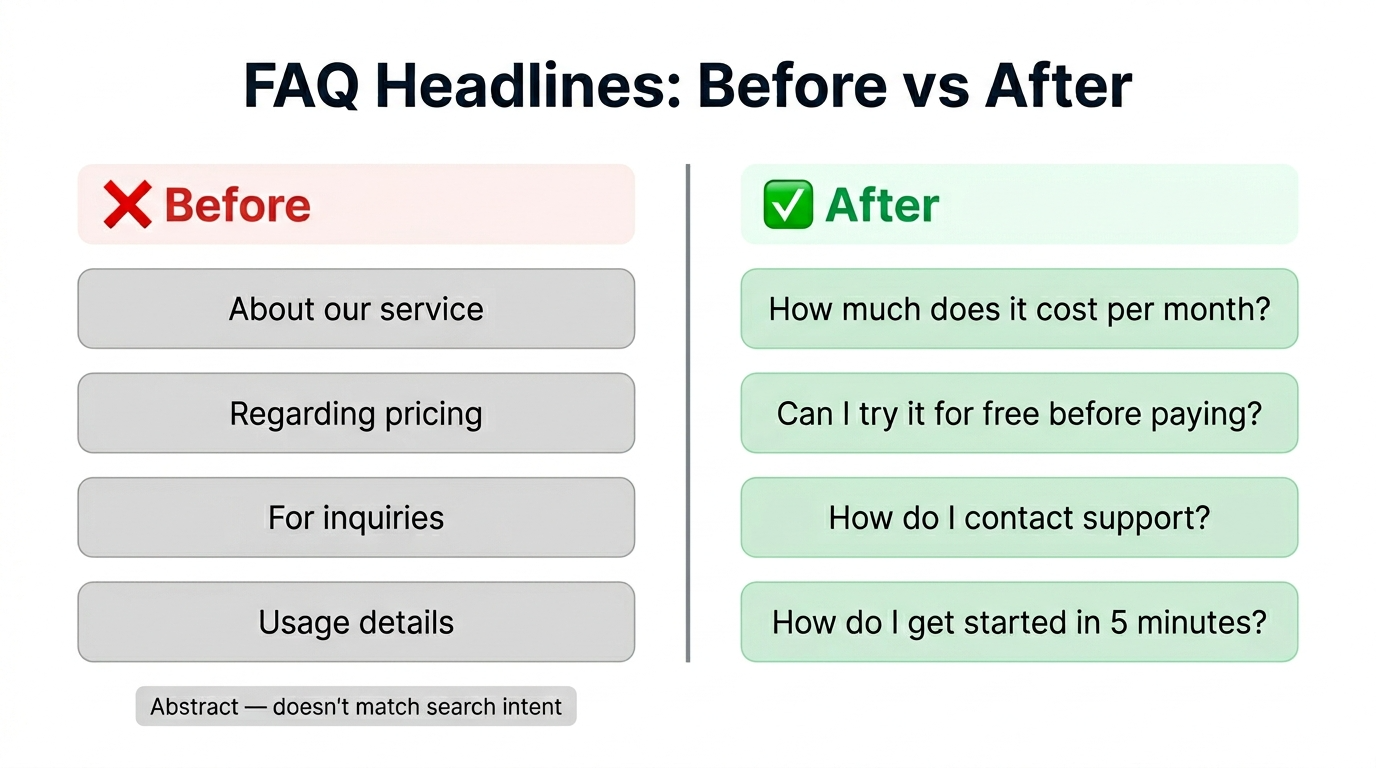
Before
About pricing
After
How much does it cost per month? — Free vs. paid plan comparison
Headings written as natural questions perform better in both site search and AI search results.
Problem 2: Answers are too long to scan
If the first paragraph is background context or disclaimers, users leave before finding the answer.
Before
Our service was relaunched in 2024 and now offers three distinct tiers, each designed with specific use cases in mind. The first tier provides… (300+ words before the price)
After
Pricing varies by plan. If a free tier exists, explain how it differs from the paid options first.
Structure every answer as: conclusion → conditions → details.
Problem 3: Content is outdated
When pricing, features, or policies change but the FAQ stays the same, you’re serving wrong answers. Wrong answers generate more support tickets than no answer at all.
Items that change frequently and need regular checks:
- Pricing and plan structures
- Business hours and support availability
- Supported regions and languages
- Links to terms of service and privacy policies
Four-step FAQ improvement process
Step 1: Extract high-frequency questions
Pull data from multiple sources to identify what users actually ask:
| Source | What to look for |
|---|---|
| Support inbox / email | Repeated question patterns |
| Chatbot logs | Questions the bot could not answer |
| Google Search Console | Queries driving traffic to your FAQ page |
| Site search logs | Terms users type on your site |
Any question that appears three or more times per month is a candidate for your FAQ.
Step 2: Restructure as one question, one answer
Rewrite each FAQ item following these rules:
- Heading: Write it as a natural question users would type
- First sentence: State the answer directly
- Following sentences: Add conditions, exceptions, or qualifications
- End: Place relevant links at the bottom
Example
Q: How do I cancel my subscription?
Go to Account Settings and select “Cancel subscription.” Cancellation takes effect immediately, and billing stops the next cycle. If you’re on an annual plan, you retain access until the end of your current term.
→ Link to the account settings page
Step 3: Organize by category
Once you have more than 10 items, group them into categories:
- Billing & Plans — Pricing, upgrades, cancellations, refunds
- Getting Started — Setup, onboarding, basic usage
- Troubleshooting — Login issues, errors, data recovery
- General — Supported browsers, system requirements, contact information
Category names should reflect user intent, not internal team structure.
Step 4: Measure the results
After publishing the restructured FAQ, track these metrics:
- FAQ page views — Rising views indicate better discoverability
- Bounce rate after FAQ visit — High bounce suggests answers need improvement
- Support ticket volume — Compare pre- and post-improvement counts
- Search query alignment — Check whether FAQ headings match incoming search queries
Monthly review cycle
FAQ quality degrades without maintenance. A monthly review cycle keeps it effective:
- Check support logs — Find questions that are in your FAQ but still generate tickets (answer quality issue)
- Update stale answers — Refresh items where pricing, features, or policies have changed
- Add new items — Any question that appeared 3+ times in the past month gets added
- Merge or remove — Combine similar items; flag items with zero views in the past 6 months for removal
- Record metrics — Log FAQ views, bounce rate, and ticket volume for trend analysis
This cycle typically takes 30 minutes per session. For sites handling more than 50 support tickets per month, the return on this investment is substantial.
Combining FAQ with a chatbot
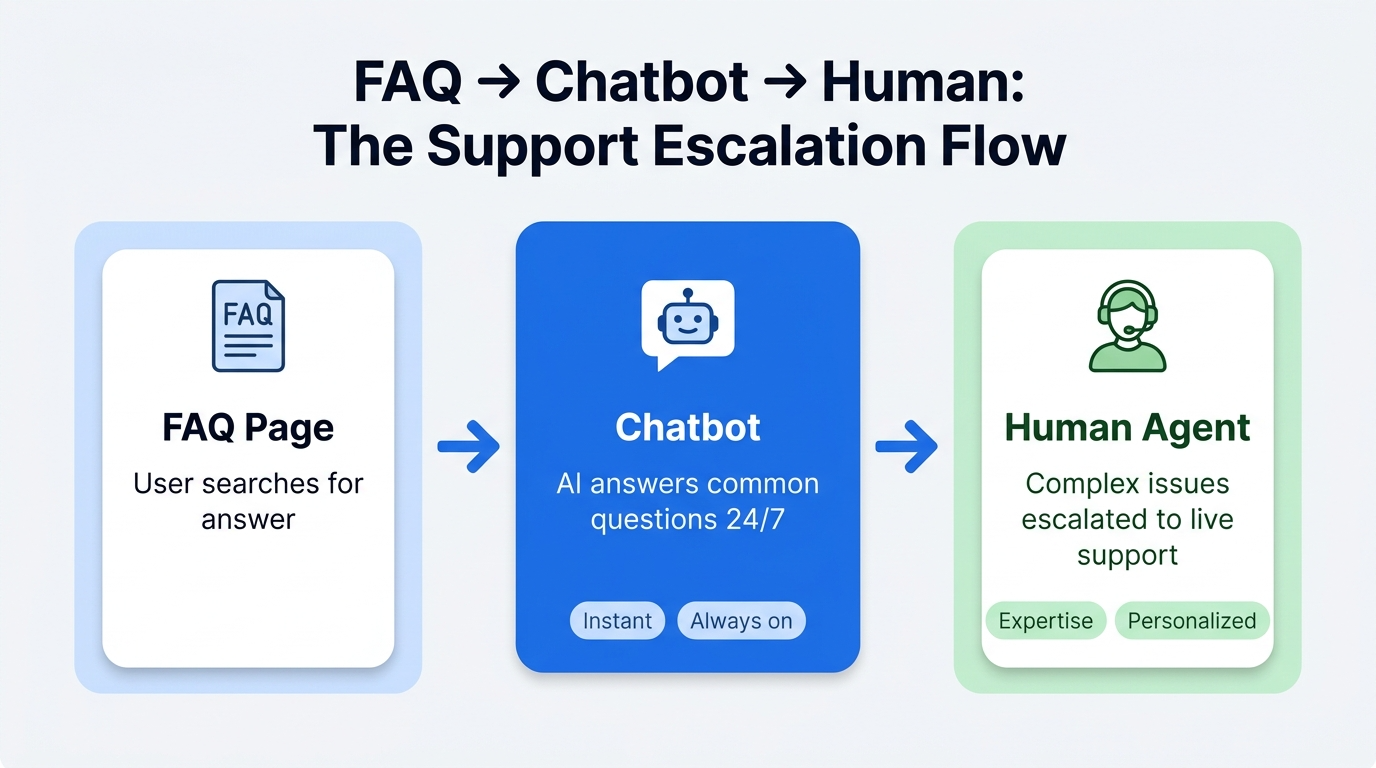
FAQ pages alone have limitations:
- Users may not navigate to the FAQ page at all
- Complex questions need more than a static answer
- Users expect instant responses outside business hours
A chatbot complements your FAQ by surfacing answers proactively.
Integration patterns
| Pattern | How it works | Benefit |
|---|---|---|
| FAQ referral | Chatbot links to relevant FAQ entries | Increases FAQ page utilization |
| FAQ-powered responses | Chatbot serves FAQ content directly in the conversation | Eliminates duplicate content maintenance |
| Human escalation | Chatbot hands off to a form or live agent when FAQ content is insufficient | Prevents user abandonment |
When you combine FAQ content with a chatbot such as Convly ChatBuilder, these three patterns make implementation easier to plan. The goal is to reuse good FAQ answers inside conversation flows so users reach the answer faster.
FAQ
How many items should an FAQ page have?
There is no strict limit, but 10–20 items is a practical starting point. Beyond 100 items, you need category navigation and search functionality, or users will not find what they need.
Should I add FAQ structured data (JSON-LD)?
Yes. FAQPage structured data helps search engines and AI systems understand the structure of your FAQ content more clearly. That said, rich results in Google are never guaranteed, so focus first on answer quality, clarity, and maintenance.
Can FAQ improvements alone reduce support tickets?
Sometimes significantly, but in most cases the best results come from combining FAQ improvements with better site navigation and chatbot coverage. Fix the FAQ first, then use a chatbot to catch the questions that remain.
Next steps
Once your FAQ is in shape, consider adding a chatbot to automate delivery.
- Related: How to Add a Chatbot to Any Website in 5 Minutes — Turn your improved FAQ into automated chatbot responses
- Related: 7 Things to Decide Before Launching an AI Chatbot — If you’re evaluating chatbot adoption, define these design decisions first
- Try ChatBuilder: Convly ChatBuilder — Build FAQ-powered chatbot scenarios